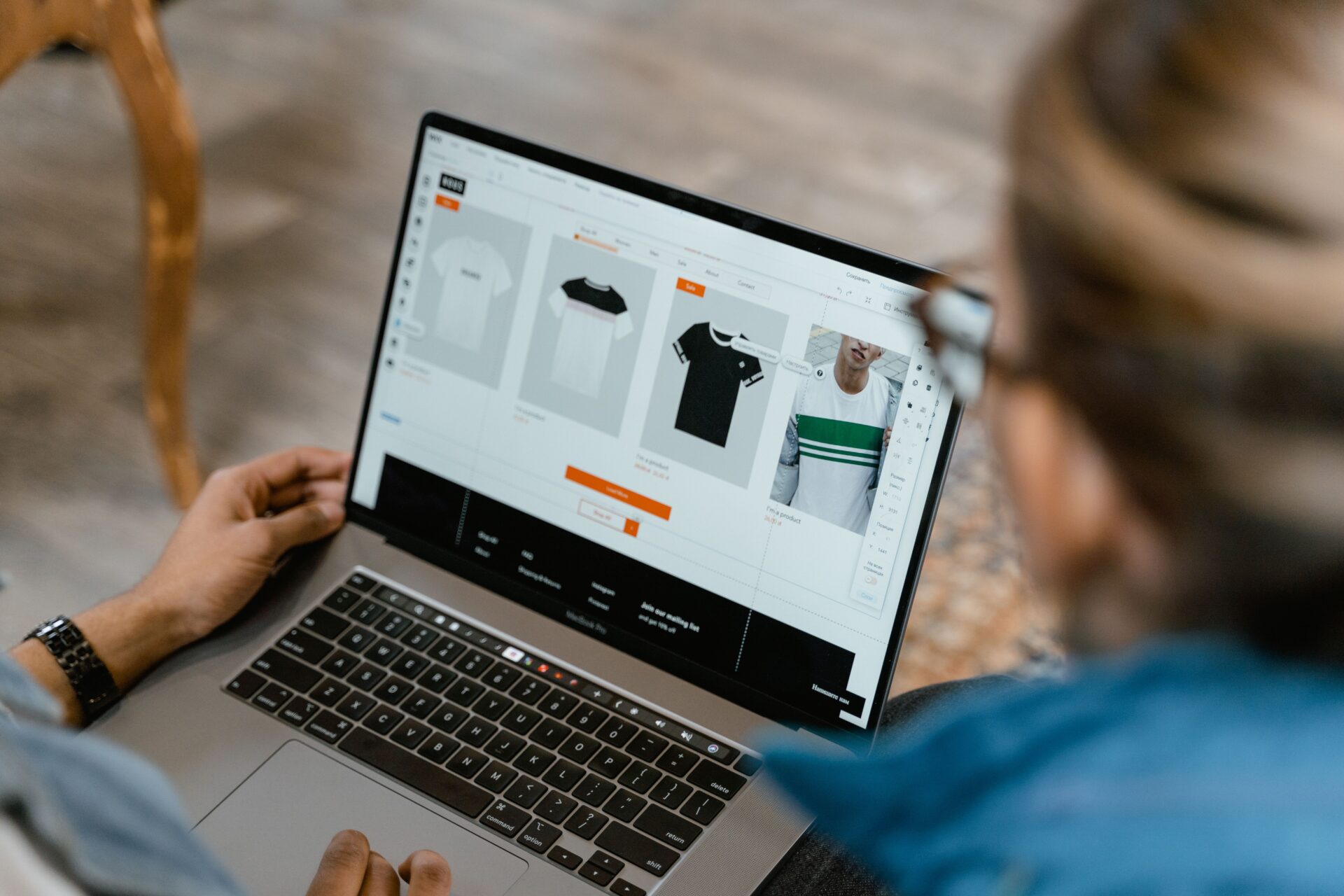
Shopify tells you what happened. It doesn’t tell you why.
You can watch a whole session unfold in your analytics: the pages someone viewed, the moment they added to cart, the order that finally came through. What you can’t see is the reason behind any of it. Was the purchase a gift? Did a friend recommend you last month? Did the shopper almost leave because your size guide was buried three clicks deep?
Behavioral data is the only data most stores collect, and it stops right at the “why.” That’s a problem when the average Shopify store converts at around 1.4%, while the top 20% reach 3.2% or higher. The gap between those two numbers is mostly motivation, hesitation, and context that no dashboard records.
A Shopify post-purchase survey closes that gap. It asks buyers directly, at the one moment they’re most willing to tell you.
What a Shopify post-purchase survey actually is
A post-purchase survey is a short set of questions that appears right after checkout, usually on the Thank You or Order Status page. It collects zero-party data: information customers volunteer about how they found you, why they bought, and what nearly stopped them.
That last part matters more than it sounds. Zero-party data is given, not guessed. It survives privacy restrictions like cookie opt-outs and iOS tracking limits, and it ties back to a real order ID. So you can segment on it, sync it to your email tool, and act on it the same way you’d act on any other order attribute. It’s the backbone of any useful customer feedback survey, and it holds up where cookie-based tracking falls apart.
Where to place your survey
Placement changes both who answers and what they’re willing to tell you.
- Thank You page: every customer sees it while you’re still top of mind. It runs after payment, so it can’t hurt your conversion rate. This is the default for most brands, and the highest-response spot you have.
- Order Status page: attention is lower here because shoppers are focused on delivery estimates. It’s a good place for a lighter second question.
- Email: the right choice for anything that needs the product to have arrived, like a CSAT or NPS question.
- SMS: the highest open rate of any channel, and the lowest tolerance for length. Keep it to one question.
Response rates track with placement. KnoCommerce sees 20 to 30% on post-purchase online surveys and 10 to 15% on email surveys, with an overall average around 45%.
What a post-purchase survey is not
It helps to name what this tool isn’t. A post-purchase survey isn’t an upsell, and it isn’t a review request, since the product hasn’t arrived yet. It’s also different from a standalone NPS email sent weeks later. The job here is to capture motivation while the decision is still fresh.
The 2026 checkout migration
Shopify has retired checkout.liquid, along with additional scripts and script tags on the Thank You and Order Status pages. For non-Plus merchants, the deadline is August 26, 2026. Any survey app that hasn’t been rebuilt on Checkout UI Extensions will stop rendering. Check Shopify admin, then Settings, then Checkout, then Review customizations to confirm your setup is safe.
The benefits of running a post-purchase survey on Shopify
Sharper customer insights
Even a good attribution model runs on guesswork. Last-click hands all the credit to whatever came last. Platform-reported ROAS credits the platform doing the reporting. Both miss the word-of-mouth mention, the podcast ad, and the influencer post that did the real convincing.
Asking customers directly is the cleanest way to get the unbiased version. Use attribution questions alongside your UTM and platform data, and the gaps show you exactly where you’re over-crediting one channel and under-crediting another. Segment new against returning buyers so you can tell acquisition apart from re-engagement. Watch for channels that never appear in a dashboard at all, like podcasts, in-person events, and earned media. And separate how someone discovered you from what finally triggered the purchase, because the window between those two moments tells you how long your nurture really needs to be. Reading your post-purchase survey data this way turns a pile of responses into a channel-by-channel picture your dashboards can’t give you.
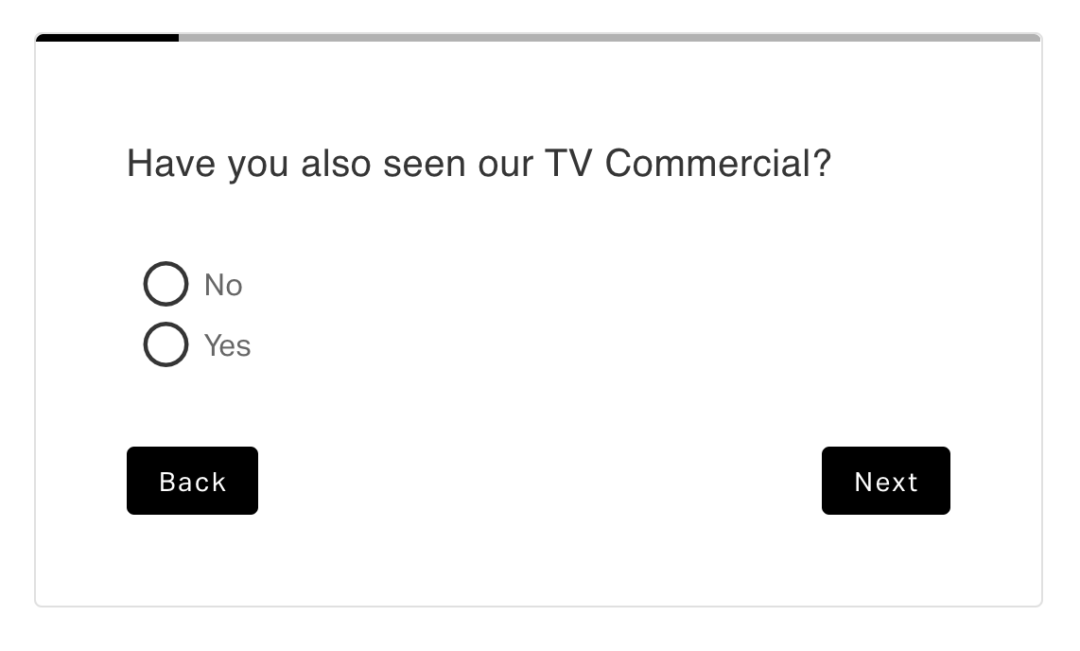
Laura Geller is a good example. The beauty brand used post-purchase surveys to measure something their click data couldn’t touch: the effect of linear TV. By showing customers screen grabs from the campaign and asking where they’d seen it, they modeled a survey-based ROAS every month. TV drove 2.5 to 3x incremental revenue, let them double the budget while holding their ROAS target, and became their second-biggest channel behind Meta. The survey also surfaced a halo effect, where shoppers saw the TV spot, then clicked a Meta ad, then bought. No single-touch model would have caught that.

Better product decisions
Every response arrives attached to the SKU the customer just bought. That gives your product team a live research channel to mine, right alongside marketing.
Route responses into a dashboard your product team can filter by SKU, sentiment, or satisfaction score on their own. Set a complaint threshold that pings product or ops automatically, so a quality issue in one batch surfaces in days instead of showing up in reviews weeks later. Use demand signals to justify a line extension before you commit inventory to it. And keep product objections separate from checkout friction, because they send you to two completely different teams.
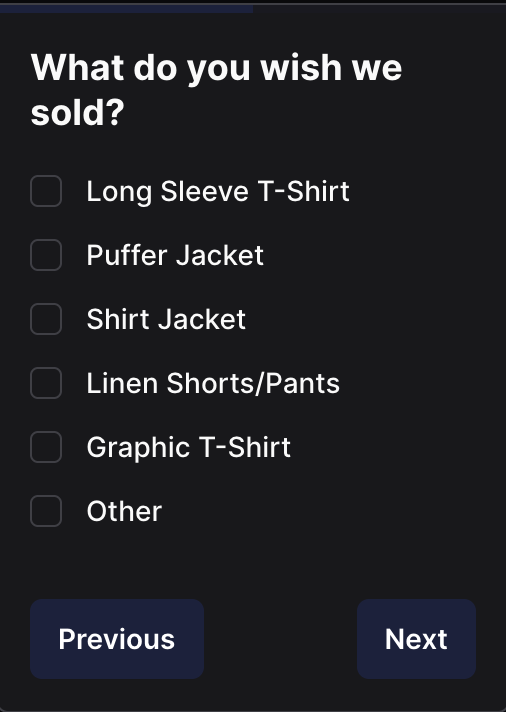
Birddogs did this with a single question: “What else do you wish we sold?” Enough customers asked for a lightweight sweater that the brand built one, segmented the people who’d requested it, and sent an early-access email with the subject line “You asked for this, and we made it for you.”
Engagement and sales both came in stronger than a standard launch, because the ask tapped directly into their customer spending motivations instead of guessing at them.
Stronger customer loyalty
Asking for input makes customers feel heard, and that feeling shows up in retention. The math is worth sitting with. Roughly 41% of an ecommerce store’s revenue comes from just 8% of its customers, and the top 5% generate about 35%. A shopper has around a 27% chance of returning after a first purchase, which climbs to 49% after a second and 62% after a third. Small nudges toward that second and third order pay off for a long time.
Surveys help you send those nudges to the right people. Sync responses to Klaviyo or your email platform so feedback triggers a flow on its own. Send detractors to support for a real conversation before they churn or leave a review. Move promoters into referral and loyalty flows while the goodwill is fresh. Change the follow-up for gift buyers entirely, and reach out near the holidays when they’re likely to buy again rather than defaulting to a generic re-order reminder. Small moves like these are how creating loyal customers actually happens, one well-timed message at a time.
Beekman 1802 found a loyalty insight hiding in plain sight. The brand assumed customers gifted their boxes whole. The survey showed that many were splitting the boxes to give to several people. That one finding helped them reshape their product mix around how customers actually gave gifts, and sales rose during the Q4 gifting season.

How to build a post-purchase survey that works
Choosing the right questions
Two mistakes sink most surveys: asking everything at once, or asking questions no answer could act on. Before you add a question, decide what decision it will change. If you can’t name one, cut it. Working from proven ecommerce survey questions saves you from reinventing the wheel for each stage.
A reliable sequence looks like this:
- Attribution first. It’s the highest-value answer and the easiest to give, so it eases the shopper into the survey on screen one.
- Motivation second. Why now, and what job is the product doing for them?
- Friction third. This is where the shipping surprise, the missing size guide, or the thin review count finally shows up.
Designing the survey
Response rate and completion rate get confused constantly. Response rate is the share of people who start the survey. Completion rate is the share who finish. You want both, and length is the biggest lever on the second one.
A 5 to 6 question survey typically completes at around 90%. One KnoCommerce customer ran 25 questions and still hit 41% completion, which is impressive, but when you isolated the first 5 to 6 questions, completion sat near 90%. The takeaway is simple: put your decision-drivers first, and treat anything past question six as a bonus.
A few design principles keep completion high:
- Use conditional logic instead of raw length, so the survey branches into follow-up questions based on each answer
- Ask new and returning customers different things
- Lead with multiple choice and save open text for later
- Put one question on the first screen
- Rotate question sets each quarter rather than stacking new ones on top
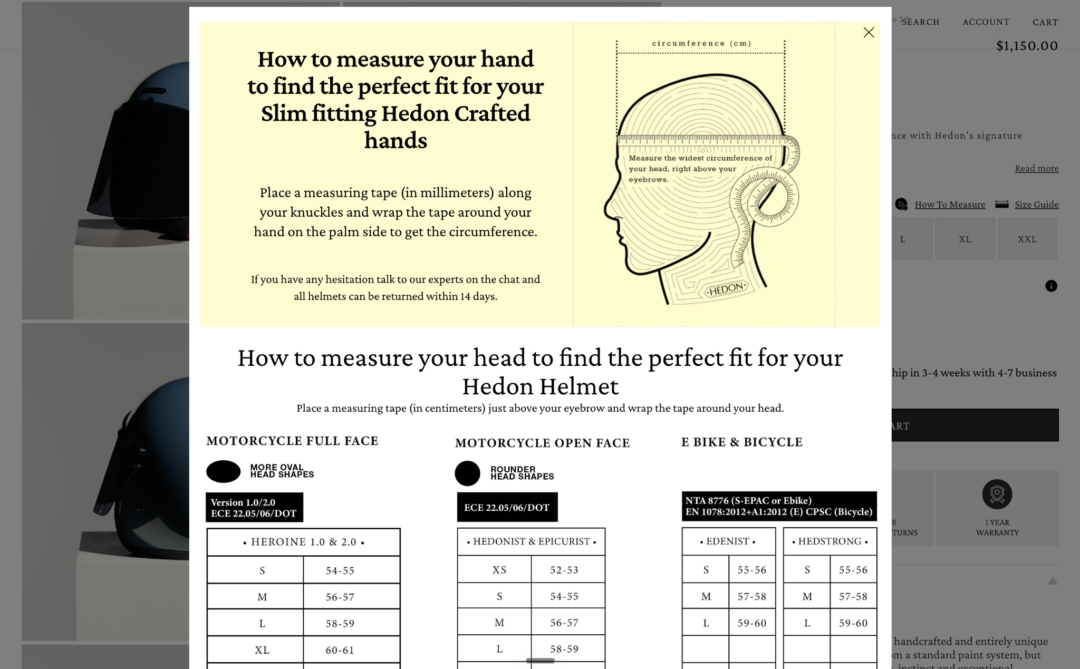
The CRO agency PM Digital saw this pay off with Hedon Helmets. Heatmaps showed shoppers leaving the product page partway down, but not why. Survey responses filled in the reason: customers had to click through to a separate page for the size guide, and it was confusing once they got there. PM Digital moved the guide into a product-page pop-up, and revenue per visitor rose 12%. That’s the kind of win that shows up when your CRO strategies are built on what customers say, not just where they click.
Timing and placement
Match each question to the moment that makes it answerable. The Thank You page is for the purchase decision, while it’s fresh. The Order Status page suits a lighter second question during the delivery wait. Email or SMS is for anything about the product itself, once it has arrived.
One caution: let a survey run to a meaningful sample before you act on it. Don’t reallocate budget off responses from 5% of your customers. Early results are a directional signal, not a verdict.
The best post-purchase survey apps for Shopify
What to look for
The retirement of checkout.liquid makes native Checkout Extensibility support non-negotiable. Beyond that, the features that separate a research tool from a toy include:
- Coverage across the Thank You page, Order Status page, email, and SMS
- Multi-question surveys with conditional logic
- Targeting by new against returning, product, order value (AOV), geography, and discount used
- Response modeling and benchmarking against category peers
- Integrations with your stack: Klaviyo, Triple Whale, Google Analytics (GA4), Peel, Meta, TikTok, and Recharge
- Open-text analysis, so nobody has to hand-read 4,000 responses
- Asynchronous loading that never touches checkout speed
How the leading apps compare
| App | Best for | Placements | Question logic | Integrations | Starting price |
|---|---|---|---|---|---|
| KnoCommerce | Research depth and segmentation | Thank You, Order Status, email, SMS, survey link | Conditional logic, up to 999 questions, 12 question types, 60+ targeting attributes, benchmarking, response modeling | Klaviyo, Triple Whale, Recharge, TikTok, Peel, Shopify Flow, Google Sheets | Starter $19, Analyst $119, Pro $299 per month, plus Enterprise. 7-day trial, no free plan, 10% off annual |
| Fairing | Single-question attribution tied to order and LTV data | Thank You, Order Status | Follow-up questions, response classification, geo and product targeting | 25+ platforms including Shopify, Klaviyo, Triple Whale | Free up to 50 responses per month, then $49+ per month by order volume |
| Zigpoll | Breadth of question types and channels on a budget | Thank You, Order Status, on-site, exit-intent, abandoned checkout, email, SMS | Widest question-type range here, AI analysis of open text, multilingual | Klaviyo, Shopify, others | Free up to 100 responses per month, then $29 to $194+ per month by volume |
| Grapevine Surveys | Predictable cost at high volume | Thank You, Order Status, on-site, email, NPS, POS | Advanced targeting, combines responses with customer and order data | Shopify Flow, Klaviyo, GA4, Google Sheets | Flat $25 per month, unlimited responses, free trial |
| AfterSell | Post-purchase upsell revenue, with surveys secondary | Checkout, Thank You, Order Status, native Checkout Extensibility | Upsell funnels are the focus, survey capability is basic | Native Shopify Checkout Extensibility | Product-based pricing from $29.99 per month up to 200 orders per month |
| Triple Whale PPS | Brands already using Triple Whale | Top of order confirmation page only | Up to 100 custom questions (raised from 7 in 2026), but standard attribution responses can’t be edited | Native to Triple Whale, Fairing integration available | Included in Triple Whale’s free plan, paid tiers are quote-based |
Most of these brands are already running some version of this, and the ones getting the most out of it treat survey data as a standing input to strategy. It’s worth seeing how leading brands use post-purchase surveys to pressure-test your own setup against theirs.
How to get more customers to respond
Personalize the request
A survey should read as part of your store, not a third-party pop-up that wandered in. Match your brand’s design, fonts, and tone. Reference the order the customer just placed. Segment the ask so new customers get discovery questions and returning customers get product and loyalty questions. And lead with the easiest question, so the first tap feels like nothing.
Think carefully about incentives
A discount will lift your response rate. It will also skew your sample toward deal-seekers and train customers to expect a code every time. If you do offer something, keep it small and lean non-monetary: early access, a free sample, or a draw entry. Before you roll an incentive out across every survey, compare answers from incentivized and non-incentivized groups to see how much the reward is bending your data.
Design for mobile first
Most Shopify orders happen on a phone, so design for thumbs before anything else. Tap targets and answer lists have to work at mobile size without any pinch-zoom. Keep answer options short enough to scan on one screen, and skip matrix or grid questions that fall apart on small displays. Get the mobile experience right and your survey response rate climbs without you touching a single question.
Turn Shopify customer feedback into your biggest growth advantage
Behavioral data tells you what happened. A Shopify post-purchase survey tells you why, and the why is where your next decision lives.
A few things to carry with you:
- The Thank You page is the highest-attention, highest-response placement you have
- Five to six questions, decision-drivers first, wins on completion nearly every time
- Checkout Extensibility support is now a hard requirement, not a nice-to-have, when you pick an app
- Zero-party data only pays off when someone owns it and acts on it on a regular cadence
KnoCommerce is built for exactly that: deep post-purchase surveys, prebuilt survey templates, conditional logic, segmentation down to the SKU, and native integrations with Klaviyo, Triple Whale, Shopify Flow, and the rest of your stack.
Book a demo to see how it fits your store, or start a free trial and put your first survey live this week.