Most Klaviyo flows are built on purchase behavior. What someone bought, how much they spent, and how long ago they ordered. That data is useful. But it only tells you what a customer did. It doesn’t tell you why they bought, where they found you, whether they’re a gift buyer or a repeat loyalist, or what would bring them back.
Those answers are already sitting in your post-purchase surveys. The question is whether they’re actually informing your flows, or sitting in a dashboard while your Klaviyo sequences keep running on the same segmentation as before.
Connecting KnoCommerce to Klaviyo is the way to close that gap.
What does the integration actually do?
When you connect KnoCommerce to Klaviyo, survey responses sync to customer profiles as custom properties. Every question you enable pushes its answer directly to the profile, prefixed with “Kno:” so they’re easy to find.
A customer who answered “TikTok” to your attribution question gets a property that looks like this:
Kno: How did you hear about us → TikTok
From there, that property works like any other Klaviyo profile data. You can build segments, trigger flows, and personalize content based on what the customer actually told you.
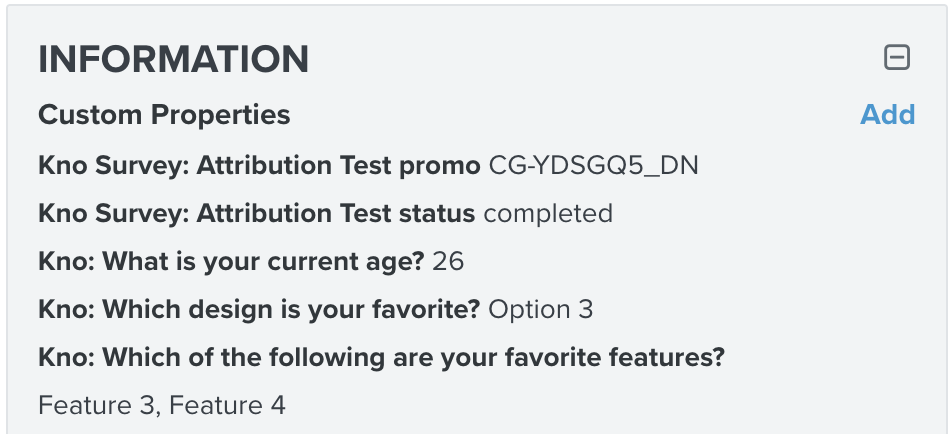
The integration also tracks survey status at the profile level: view, partial, and completed. That means you can build flows that fire on abandonment, not just completion.
Responses push to Klaviyo in real time as they’re submitted, so there’s no batch delay to account for when setting up trigger-based flows.
One thing worth knowing about property behavior: each question maps to one property on the profile. If a customer answers the same question on a later survey, the new answer overwrites the old one. Klaviyo doesn’t keep a history. If you need to track attribution shifts over time, lean on Kno’s reporting rather than the Klaviyo property.
What can you build with it?
Marleylilly, a South Carolina-based personalization brand, runs one of the cleaner examples of this in practice.
They use a win-back SMS survey that targets lapsed customers with a simple question: why haven’t you shopped with us lately?
Based on the answer, the flow branches. A customer who cites financial reasons gets a discount code automatically. Someone who mentions a website issue gets asked for more details. A customer who says they haven’t seen anything they want gets asked what they’d like to see made.
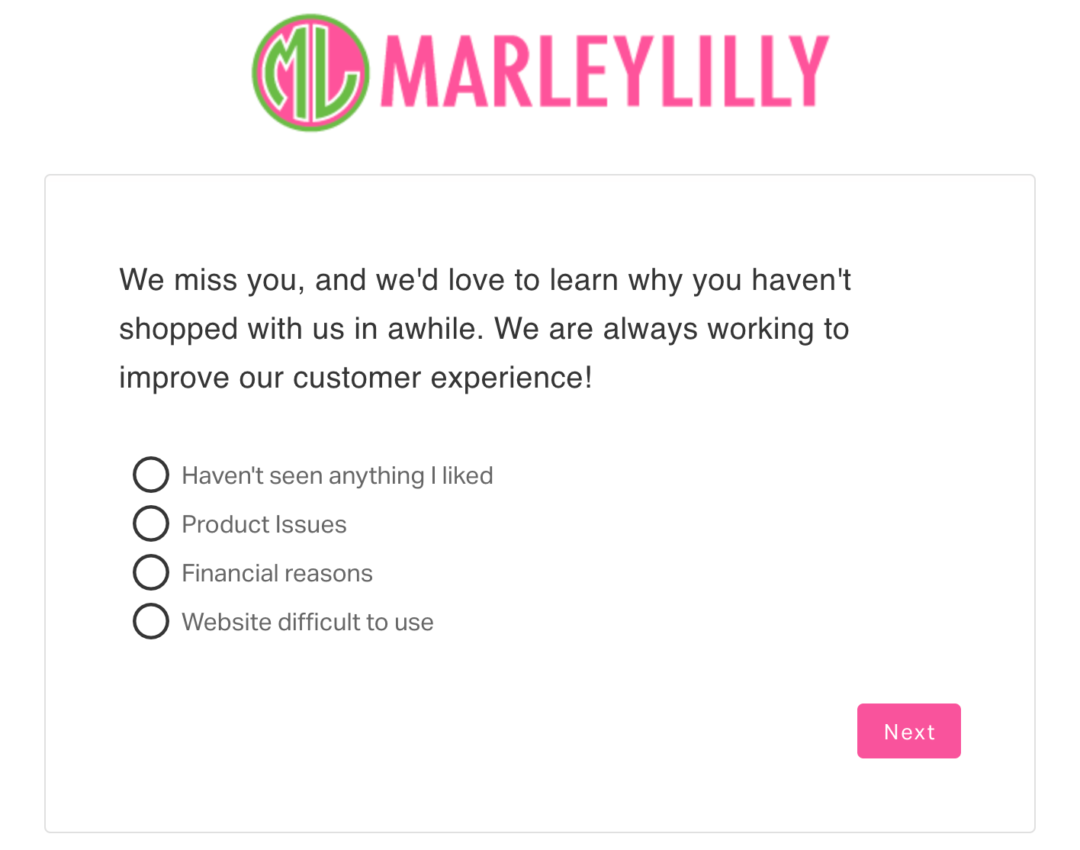
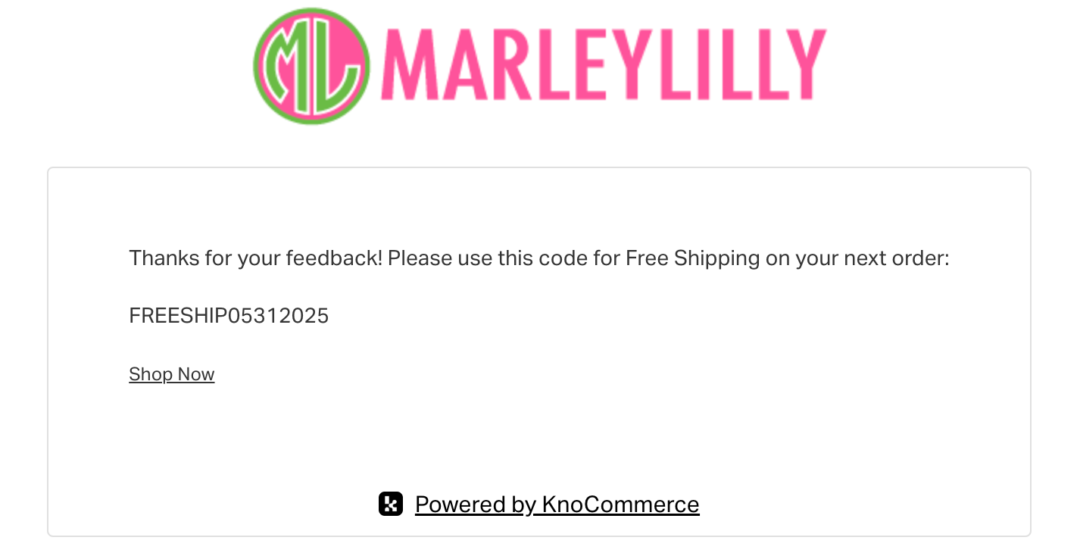
Each of those branches is built off a survey response synced to the customer profile. The question fires, the answer lands in Klaviyo, and the flow takes it from there.
That’s the core of what this integration makes possible. A few more ways brands use it:
Attribution-based flows. A customer answers your attribution question and says they found you through a friend. That’s a word-of-mouth buyer. You can build a flow that thanks them specifically, asks for a review, or surfaces a referral incentive instead of the same generic post-purchase sequence everyone else gets.
Gift buyer segmentation. Someone flags their purchase as a gift. You can suppress them from replenishment nudges that assume they bought for themselves and send messaging that actually fits their situation.
NPS follow-up. In NPS surveys, promoters get a different sequence than detractors. And detractors get suppressed from review-request and referral flows entirely, not just sent a softer version. That suppression logic matters, sending a referral ask to someone who just gave you a 4 is a fast way to lose them.
Win-back personalization. The attribution answer from a customer’s first purchase is still on their profile months later. When you’re trying to win them back, the channel that converted them once is often worth trying again. A customer who found you through a podcast is a different re-engagement target than one who came from a Meta ad.
VOC into subject lines. Pull the most common responses to a “why did you buy” question and A/B test them as subject line angles for that segment. If a large portion of a cohort answered “for a special occasion,” that’s a subject line waiting to be written.
Paid audience sync. Klaviyo segments built on Kno properties can sync to Meta and Google as suppression or lookalike sources. If you know which customers came from TikTok, you can build a lookalike from that group specifically and stop spending to reach people who already converted.
See how KnoCommerce flows work in practice. Book a demo here.
A few things to get right before you build
Use multiple choice for anything you plan to flow off of. Free-text answers don’t segment cleanly. If you ask “how did you hear about us” as an open field, you’ll get “tiktok,” “TikTok,” “tik tok,” and “saw it on tiktok” as four separate property values. Multiple choice keeps the data consistent enough to actually use.
The list is not the point, the segments are. When you connect the integration, you select a Klaviyo list to add respondents to. That list is a Klaviyo API requirement, not where the targeting power lives. Build dynamic segments off the custom properties. The list is just an entry point.
Profile matching works off email first, then phone. Kno matches responses to Klaviyo profiles by email, falling back to phone in E.164 format. Guest checkouts with an email work fine, Klaviyo creates a profile if one doesn’t exist yet. Guest checkouts with no email and no valid phone are skipped.
How do you set it up?
The full walkthrough lives in the help doc, but here’s the shape of it:
- Create a private API key in Klaviyo with full access to Profiles and List scopes
- Connect the integration in KnoCommerce under Settings > Integrations
- Choose a Klaviyo list to add respondents to — a catch-all list with no flows attached works well, or create a dedicated KnoCommerce list
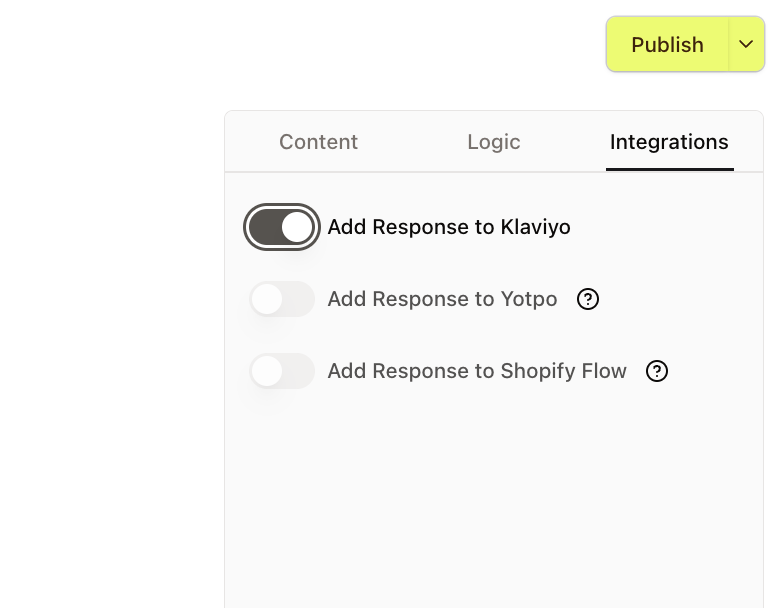
- Inside your survey builder, go to each question you want to push and toggle on “Add Response to Klaviyo”
- Publish your survey
The question-level toggle is the step most people miss. Connecting the integration alone doesn’t push responses. You have to enable it per question.
One more thing before you go live: custom properties don’t appear in Klaviyo’s flow builder until at least one customer has answered that question and the data has synced. If you want to build flows before your survey is live, complete the survey yourself to initialize the data. That pushes your responses to your own profile, where you can build and test before any real customer sees them.
If you connected the integration after you’d already been collecting survey data, historic responses won’t push automatically. You can backfill using a CSV export from KnoCommerce combined with Klaviyo’s profile import tool.
You can also find abandoned cart survey questions worth adding to your setup while you’re in the survey builder.
The data is already there
Your surveys are collecting answers that most brands would pay a research firm to get. Where customers came from, what made them buy, how they feel about the experience. That data compounds in value when it lives inside Klaviyo, where it can actually shape what you send and who you send it to.
Connect the integration, toggle on your questions, and start building flows off what customers actually told you.